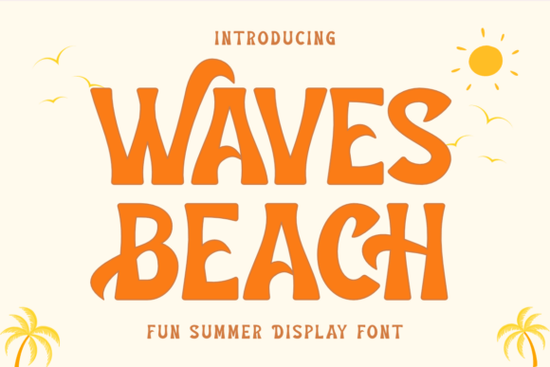
If you need a typeface that instantly reads as sunny and relaxed, Waves Beach Font delivers exactly that. It is a bold display font built around smooth, rolling curves that mimic ocean swells, making it a straightforward choice for summer campaigns, vacation merch, and coastal branding. Designers and print-on-demand sellers often reach for this style when they need headlines that feel playful without sacrificing readability.
What makes this style work for warm-weather projects?
The letterforms carry a consistent wave pattern that creates rhythm across short phrases. Thick, evenly weighted strokes hold up well on tote bags, mugs, and cotton tees. The rounded edges soften the overall look, which helps vacation quotes and party invitations feel welcoming rather than loud. When you set the type in title case, the wavy baseline naturally draws the eye, so you rarely need extra decorative elements to make the layout feel complete.
Which projects get the most value from it?
This typeface shines when you keep the text short and let the shapes do the heavy lifting. Here are the formats where it consistently performs well:
- Apparel and accessories: Beach club tees, resort hats, and canvas totes that need a quick seasonal refresh.
- Event stationery: Summer party invites, wedding welcome signs, and weekend itinerary cards.
- Social graphics: Instagram story headers and Pinterest pins that announce limited-time offers.
- Small business branding: Cafe menu boards, surf shop decals, and product packaging for seasonal drops.
Review the complete typeface specs to verify spacing and glyph coverage before finalizing your layout.
How do you pair it without creating visual clutter?
Display fonts with strong personalities need quiet partners. Match the wavy headline with a neutral sans serif or a light script for subtext. For a retro summer vibe, you might test retro-inspired lettering as a secondary accent on stickers. When you want something softer for body copy, clean handwritten alternatives keep the layout approachable. If your project leans toward botanical themes, floral script pairings add texture without competing. For rustic merch lines, rustic sans serif options ground the design and improve readability at smaller sizes.
What should you check before sending files to print?
Summer merch moves quickly, so a few technical checks will save you from costly reprints. Convert text to outlines if your printer lacks font embedding. Keep tracking tight but not touching, since curved edges can create uneven gaps when letters sit too close. Test your design at actual size before ordering samples, especially on dark fabrics where thick strokes can spread during heat pressing. Save artwork as a 300 DPI transparent PNG with safe margins to prevent cropping during fulfillment.
Does it cover the characters you actually need?
Most seasonal display fonts focus on uppercase letters, numbers, and basic punctuation. Before you start a multilingual campaign, open the character map in your design software to verify accent marks and alternate glyphs. If your project requires extended language support, you may need to supplement the layout with a secondary font. Keeping a simple backup typeface in your library prevents last-minute spacing shifts when a missing glyph breaks your design.
How do you keep the design looking fresh across seasons?
You do not have to retire a summer font when the weather changes. Swap the color palette to deeper blues, warm terracottas, or muted sage tones, and the same wavy letters will read as coastal autumn or relaxed spring. Reduce the scale and use the font for small accents like date stamps or location tags. Pair it with textured backgrounds like grain overlays or light watercolor washes to soften the bold strokes. Let the typeface adapt to your content rather than forcing a beach theme.
Quick pre-launch checklist:
- Verify character coverage and test accent marks before finalizing copy.
- Convert text to outlines or embed fonts according to printer requirements.
- Export artwork at 300 DPI with transparent backgrounds for merch platforms.
- Pair the headline with a quiet secondary font to maintain readability.
- Run a small test print or digital mockup to check stroke spread and spacing.
Start with a single hero phrase, adjust the tracking until the curves flow evenly, and save your layout as a reusable template. Once the spacing feels right, you can swap colors and backgrounds for quick seasonal updates without rebuilding the design from scratch.
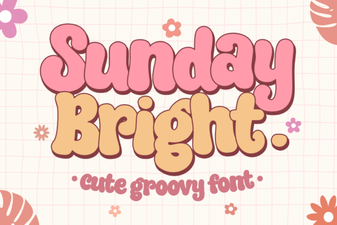 Sunday Bright Font for Creative Digital Projects
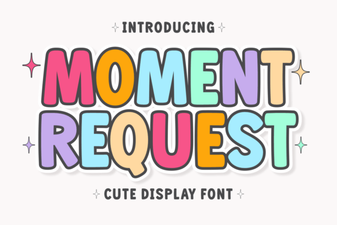 Crafting Projects with Moment Request Font
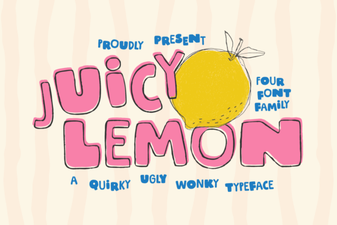 Juicy Lemon Font for Bright Design Projects
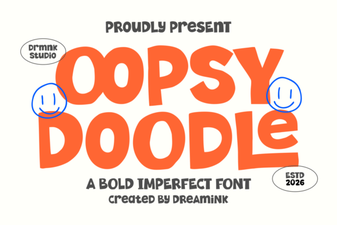 Oopsy Doodle: Creative Fonts for Casual Projects
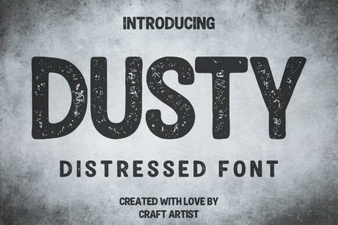 Vintage Dusty Font Styles for Modern Design
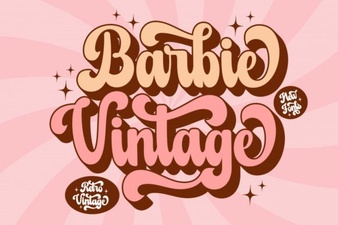 A Classic Barbie Retro Font Download