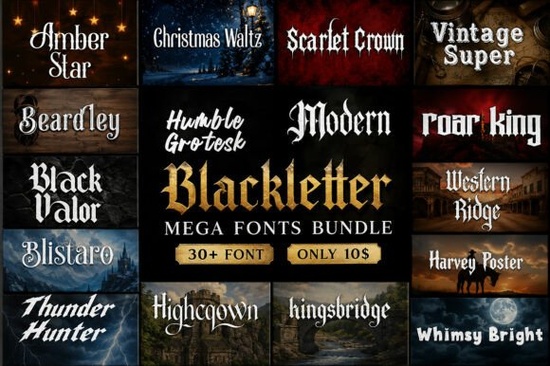
If you regularly design logos, merch, or posters, the Modern Blackletter Mega Bundle Font gives you a ready-to-use set of over thirty typefaces without the hassle of hunting down individual files. This collection pulls together blackletter, gothic, medieval, western, and vintage display styles in one download, which saves time when you need to test different moods for a client or a print-on-demand listing.
What makes this font collection worth adding to your toolkit?
Most designers and crafters run into the same problem: they find a great gothic or western font, but it only works for one specific project. This bundle solves that by grouping 30+ distinct typefaces that cover a wide visual range. You get sharp medieval lettering for fantasy book covers, heavy western slabs for event flyers, and clean decorative displays for modern branding. Because every font is built with commercial use in mind, you can apply them to client work, digital products, and physical merchandise without worrying about restrictive personal-use licenses.
The files download instantly and install like any standard desktop font. Once they are in your system, they work smoothly in Photoshop, Illustrator, Canva, Cricut Design Space, and Silhouette Studio. If you want to browse similar options before committing, you can also explore more blackletter and gothic typefaces that match this aesthetic.
Which projects work best with these typefaces?
Blackletter and vintage display fonts thrive when they have room to breathe. They are not meant for long paragraphs, but they excel at grabbing attention in short formats. Here is where this bundle performs best:
- Apparel and merch: Bold western and gothic letters print cleanly on t-shirts, hoodies, and tote bags.
- Branding and logos: Medieval and decorative styles give cafes, breweries, and tattoo studios a strong visual identity.
- Digital content: YouTube thumbnails, album art, and social media quotes stand out when paired with a high-contrast display font.
- Craft and cut files: The clean vector paths work well for vinyl decals, laser cutting, and Cricut projects.
When you pair these headline fonts with a simple sans-serif for body text, the design stays readable while keeping that bold, thematic feel.
How do the featured styles differ from each other?
Each typeface in the bundle carries its own weight and personality. For example, Amber Star leans into a softer decorative vibe, while Black Valor delivers heavy gothic strokes that work well for gaming graphics and poster headers. If you need something with a classic western feel, Western Ridge provides sturdy slab serifs that hold up on large format prints. For vintage packaging or retro flyers, Vintage Super offers clean, weathered lines that mimic old-school signage.
Other standouts like Scarlet Crown, Humble Grotesk, and Thunder Hunter round out the collection by covering everything from elegant invitations to bold merchandise layouts. You can mix and match them depending on whether your project needs a rugged, medieval, or refined look.
What should you check before using these fonts commercially?
Even when a bundle states it is commercial-use friendly, it is smart to verify a few details before launching a product. First, open the license file included in the download folder. Look for clear terms regarding print-on-demand sales, digital product creation, and client branding work. Most marketplace bundles cover these uses, but some may limit the number of physical items or require an extended license for certain digital templates.
Second, test the fonts in your preferred software. Check for missing glyphs, spacing issues, or ligature conflicts, especially if you plan to use special characters or numbers. Finally, outline or embed the typefaces when sending final files to printers. This prevents substitution errors and keeps your layout exactly as you designed it.
How do you get the most out of this download?
Start by installing only the styles you will use right away. Keeping your font library lean speeds up design software and makes it easier to find what you need. Create a quick reference sheet with sample words typed in each font, then save it as a PDF or image in your project folder. When a new client request or merch idea comes in, you can scan the sheet and pick a match in seconds.
Pair these display fonts with neutral backgrounds or high-contrast colors to keep the letterforms sharp. Avoid stretching or distorting the type, and always adjust kerning manually for logos and short headlines. A few minutes of spacing cleanup makes a massive difference in how professional the final design looks.
Quick next steps before you start designing:
- Download and extract the zip file to a dedicated font folder.
- Install your top five choices and restart your design software.
- Review the commercial license to confirm POD and client use.
- Test a short headline at 100% scale to check spacing and legibility.
- Save a style guide with your chosen font pairings for future projects.
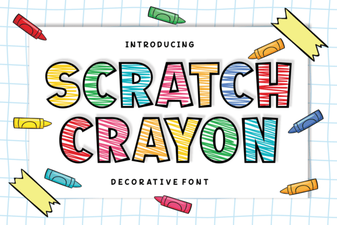 Scratch Crayon Font: Fun Diy Project Ideas
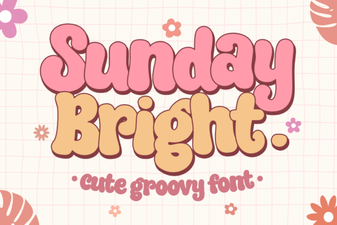 Sunday Bright Font for Creative Digital Projects
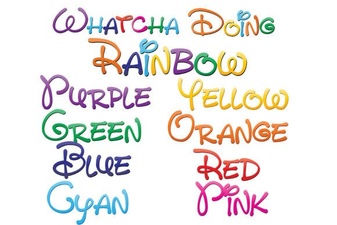 Download the Free Whatcha Doing Font for Your Design Projects
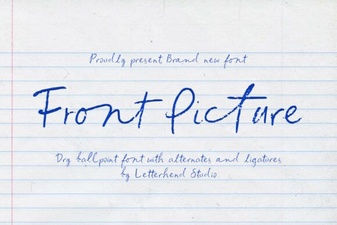 Choosing Fonts for Hero Images & Landing Pages
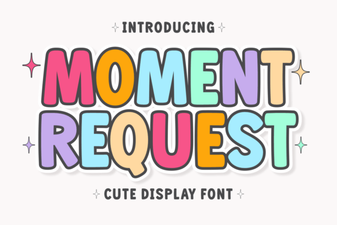 Crafting Projects with Moment Request Font
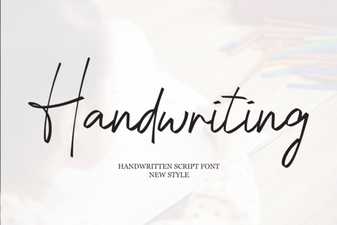 Beautiful Handwriting Fonts for Your Creative Projects